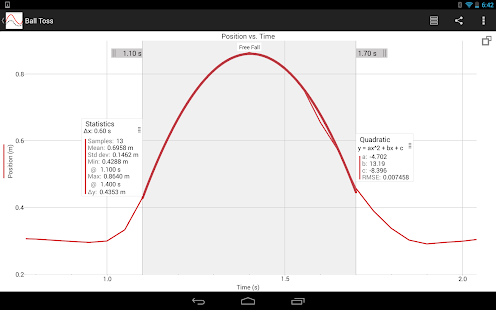
'Students use Graphical Analysis to wirelessly collect, analyze, and share sensor data in science and math classrooms. Graphical Analysis facilitates student understanding with real time graphs of experimental data. Students enhance their work and lab reports with easy annotations, statistics, and curve fits. Wireless capabilities: Connect to Go Wireless Temp or NODE for wireless sensor capabilities. Use LabQuest 2 or a computer running Logger Pro as a Data Sharing source, connecting each member of a lab group while collecting data from any of over 70 compatible Vernier sensors. Students can collect data from built-in accelerometers or manually enter data into a table, then use Graphical Analysis to analyze and share the data. Export data and graphs to create a lab report or send their finished work to the teacher. Export graphs to the Camera Roll, Mail, note-taking apps, or print via AirPrint. A CSV file of the data can be exported to third-party apps or to other users via Mail, Messages, or AirDrop. Key features: • Enter data in a table with row-by-row entry and multiple columns. • Display 1, 2, or 3 graphs. • Auto-save experiment data, graphs, annotations, statistics and curve fits. • Draw predictions on a graph. • Pinch and stretch to scale the graph. • Tap or drag to make selections on the graph. • Perform curve fits, including linear, quadratic, natural exponent, and more. • Create text annotations. • Export graphs and data. • Import CSV data files. • Import from Vernier data-collection software: Logger Pro 3 (cmbl), Graphical Analysis PC/Mac (ga3), Logger Lite (gmbl) and LabQuest (qmbl). • Start with sample data and experiments or analyze patterns in the periodic table of the elements
This app costs $4.99